




PetPivot Litter Box Stuck Upside Down? How to Reset AutoScooper 11 and 12

Informazioni sull'autore
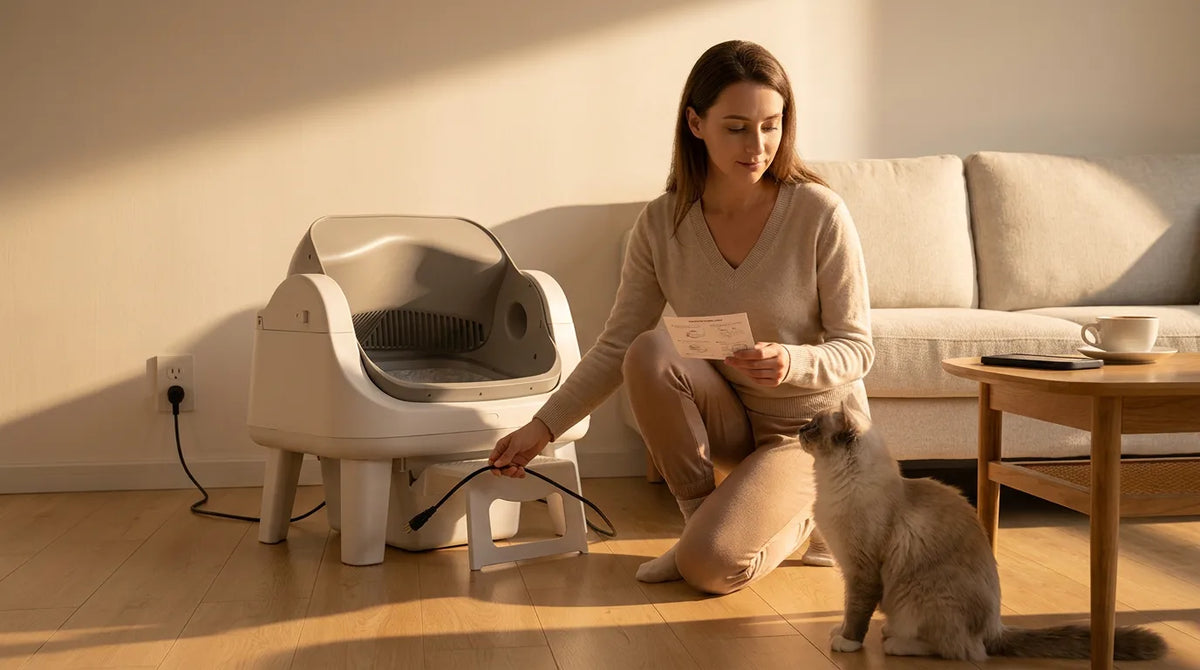
A PetPivot litter box that stops upside down has usually hit something that tells it to stop. The most common causes are a dirty or filmed-over sensor, too much litter or heavy wet clumps, a waste bin that isn't seated, or a power cut mid-rotation. A solid red light with the drum stuck upside down most often points to the sensors. The quick fix: keep your cat out, unplug the box for about a minute, plug it back in, then clear the cause before you run another cycle. Steps for the AutoScooper 12 and AutoScooper 11 are below, plus how to stop it from happening again. Before You Start: Keep Your Cat Safe Keep your cat away. Set out a spare box or a shallow tray with litter so your cat has somewhere to go while you work. Don't force the drum. Pushing a powered drum can strain the motor and gears. Unplug first. Disconnect the power adapter before you reach inside, lift the drum or remove any parts. Why Is My PetPivot Stuck Upside Down? Each cause has a quick check. Fix the cause, not just the stop, or the drum will lock up again on the next cycle. Cause What you'll see Quick check Dirty or filmed over sensor Stops mid cycle; solid red light Check every sensor, including the ones down by the waste bin Too much litter Drum slows or stalls as it turns Litter sits above the fill line Wet, heavy clumps Drum feels unbalanced Large clumps or waste stuck to the drum wall Waste bin full or not seated Red light on the 12 Lite Bin full, bag edge hanging over a sensor, or bin not pushed fully in Parts not locked in place New box sticks on its first cycles Base and drum not clicked into position Too close to a wall or object Stops at the same point every time Something within a few inches of the sensors Power cut or loose plug Box went dark mid cycle Adapter firmly seated; the 12 Lite uses a 12V 2A adapter Owners are often surprised by how many sensors there are. One owner cleaned the three under the drum and still got the red light, then found two more near the waste bin that were causing the problem. For other error lights, see our AutoScooper troubleshooting guide. How to Reset AutoScooper 12 When It's Stuck Upside Down Work through these in order. Most boxes are running again by step 6. 1. Unplug the adapter. Wait about one minute so the box fully powers down. 2. Plug it back in. Give the box a moment to start up. If the drum returns to its upright home position, go to step 4. 3. If the drum doesn't move, leave it unplugged and don't force it. Contact support before you go further. 4. Remove extra litter. Bring the level down to the fill line and break up any large, wet clumps. 5. Empty and refit the bin. Fit a fresh bag, keep the bag edge clear of the sensors, and push the bin in until it sits flush. 6. Clean every sensor. Wipe the sensors under the drum and the ones by the bin with a dry cloth. If they still look cloudy or purple, use the deep clean in the box below. 7. Run a test cycle. With no cat inside, short press Clean and watch a full rotation, which takes about 10 minutes. 8. If it stops again, hold Clean for 5 seconds to switch to manual mode, so your cat can still use the box, and contact support. Deep cleaning filmed over sensors The ammonia from the urine creates a purple stain on the sensors that cannot be rubbed away with one wiping pass. Some owners have removed this film by rubbing a paste made of baking soda with a bit of water onto the sensor windows for 5 minutes, followed by gentle brushing with a toothbrush. Do not use a metal edge but rather use a plastic one to avoid scratching the window. Do not clean using bleach wipes and vinegar at the same time because it produces chlorine gas. Some owners also wiped the sensors with vinegar after the paste. If you do, rinse the area with a damp cloth and let it dry fully before you plug the box back in. The Washington State Department of Health also warns that bleach reacts with the ammonia in urine, so keep bleach away from the litter area. How to Reset AutoScooper 11 When It's Stuck Upside Down The AutoScooper 11 uses the same basic fix: power down, clear the cause, then test. Its buttons and lights can differ from the 12, so check your manual for the exact button names. 1. Unplug and wait. Leave it off for about a minute, then plug it back in and let it start up. 2. Lower the litter. Remove litter above the fill line and pull out heavy clumps. 3. Check the 10 L bin. Empty it and push it fully into place, with the bag clear of any sensor. 4. Clean all sensors. Look under the drum and down by the bin, and deep clean any film. 5. Check the setup. Make sure the drum and base are locked in and the box has space on all sides. 6. Test with no cat inside. Run one full cycle. If it locks up again, contact support. What to Do After a Power Outage Mid-Cycle A power cut can stop the drum wherever it is. Wait for the unit to switch on when the power returns. In case the drum remains stuck in the open position, you will have to perform the reset procedure. While you are at it, check the plug of the adapter. A loose plug caused by the vacuum or even a pet will look very similar to a power outage, and the box will remain dark till you realize that. If outages occur frequently, use a surge protector. Ask our support team before you use any battery backup. How to Stop It Happening Again A few minutes a week prevents most stalls. PetPivot's support team recommends a deep clean at least once a month, with the sensors included. Fill to the line. Top up a little at a time instead of pouring in a full bag. Use firm clumping litter. Clumps that hold together roll out cleanly and don't weigh the drum down. Empty the bin on time. About every 5 days, and never past 7. Wipe the sensors weekly. Catch the film before it builds up into the purple layer owners describe. Give it space. Set the box on a hard, level floor, a few inches away from walls and furniture. Pause for wet clumps. If your cat is sick or has very loose stool, switch to manual mode until things return to normal. Setting up a new AutoScooper 12 Lite? Check that the base and drum click fully into place before the first fill. Owners say a box that sticks upside down straight out of the carton is usually a part that isn't seated. When to Contact PetPivot Support Stop troubleshooting if the drum locks up again after a full reset, grinds, or won't turn at all. The same goes for a sensor that keeps failing a week after a deep clean, which can mean a part needs replacing. Your order number, so the team can check your model and warranty. A 30 second video of the cycle, showing where the drum stops. A photo of the light on the control panel, and of the sensors if they look filmed over. Email support@petpivot.com with these details. The PetPivot user guide also covers setup and the light meanings for each model. FAQs Why is my PetPivot stuck upside down? Usually a sensor is blocked or filmed over, the litter is too deep, heavy clumps unbalanced the drum, or the power cut out mid cycle. A solid red light points to the sensors first. How do I reset my PetPivot litter box? Disconnect it for approximately a minute, reconnect it, and make sure that the litter is at the fill line level. Replace the bin, clean all sensors, and perform a test cycle without a cat. Can I turn the drum back by hand? Don't force it. Unplug the box first, and if the drum doesn't return home after a restart, contact PetPivot support before you move it yourself. What does the red light on my PetPivot mean? On the 12 Lite, a red light means the bin is full or a sensor was tripped. With the drum stuck upside down, check and clean every sensor, including the ones by the bin. What happens if the power goes out mid cycle? The drum stops where it is. Give it a few minutes once power returns. If it stays turned over, unplug it, clear any litter or clumps, and follow the reset steps. Why does my brand new PetPivot keep getting stuck? It's usually setup. Make sure the base and drum are locked in, the bag isn't covering a sensor, and the box isn't pressed against a wall. If it still sticks, contact support. Is my cat safe if the box stops mid-cycle? The sensors are there to stop the drum when a cat comes near. Keep your cat out while it's stuck, offer a spare tray, and unplug the box before you work on it. When should I contact PetPivot support? When it locks up again after a full reset, grinds, won't turn, or a sensor fails again soon after cleaning. Send your order number, a short video, and a photo of the light.
Before You Start: Keep Your Cat Safe
-
Keep your cat away.
-
Don't force the drum.
-
Unplug first.
Why Is My PetPivot Stuck Upside Down?
|
Cause
|
What you'll see
|
Quick check
|
|
Dirty or filmed over sensor
|
Stops mid cycle; solid red light
|
Check every sensor, including the ones down by the waste bin
|
|
Too much litter
|
Drum slows or stalls as it turns
|
Litter sits above the fill line
|
|
Wet, heavy clumps
|
Drum feels unbalanced
|
Large clumps or waste stuck to the drum wall
|
|
Waste bin full or not seated
|
Red light on the 12 Lite
|
Bin full, bag edge hanging over a sensor, or bin not pushed fully in
|
|
Parts not locked in place
|
New box sticks on its first cycles
|
Base and drum not clicked into position
|
|
Too close to a wall or object
|
Stops at the same point every time
|
Something within a few inches of the sensors
|
|
Power cut or loose plug
|
Box went dark mid cycle
|
Adapter firmly seated; the 12 Lite uses a 12V 2A adapter
|
How to Reset AutoScooper 12 When It's Stuck Upside Down

-
1. Unplug the adapter.
-
2. Plug it back in.
-
3. If the drum doesn't move,
-
4. Remove extra litter.
-
5. Empty and refit the bin.
-
6. Clean every sensor.
-
7. Run a test cycle.
-
8. If it stops again,
|
Deep cleaning filmed over sensors
The ammonia from the urine creates a purple stain on the sensors that cannot be rubbed away with one wiping pass. Some owners have removed this film by rubbing a paste made of baking soda with a bit of water onto the sensor windows for 5 minutes, followed by gentle brushing with a toothbrush. Do not use a metal edge but rather use a plastic one to avoid scratching the window. Do not clean using bleach wipes and vinegar at the same time because it produces chlorine gas.
|
How to Reset AutoScooper 11 When It's Stuck Upside Down
-
1. Unplug and wait.
-
2. Lower the litter.
-
3. Check the 10 L bin.
-
4. Clean all sensors.
-
5. Check the setup.
-
6. Test with no cat inside.
What to Do After a Power Outage Mid-Cycle

How to Stop It Happening Again
-
Fill to the line.
-
Use firm clumping litter.
-
Empty the bin on time.
-
Wipe the sensors weekly.
-
Give it space.
-
Pause for wet clumps.
When to Contact PetPivot Support
-
Your order number,
-
A 30 second video
-
A photo of the light
FAQs
Why is my PetPivot stuck upside down?
How do I reset my PetPivot litter box?
Can I turn the drum back by hand?
What does the red light on my PetPivot mean?
What happens if the power goes out mid cycle?
Why does my brand new PetPivot keep getting stuck?
Is my cat safe if the box stops mid-cycle?
When should I contact PetPivot support?




You may also like

Lettiera per gatti AutoScooper 11 - Bianco

Lettiera per gatti AutoScooper 11


Base per lettiera AutoScooper 11 – Confezione da 2


Further reading
PetPivot Red Light Meaning: AutoScooper Indicator Lights Explained
PetPivot Litter Box Stuck Upside Down? How to Reset AutoScooper 11 and 12
Cat Diarrhea in the Litter Box: What to Check at Home and When to Call the Vet
